
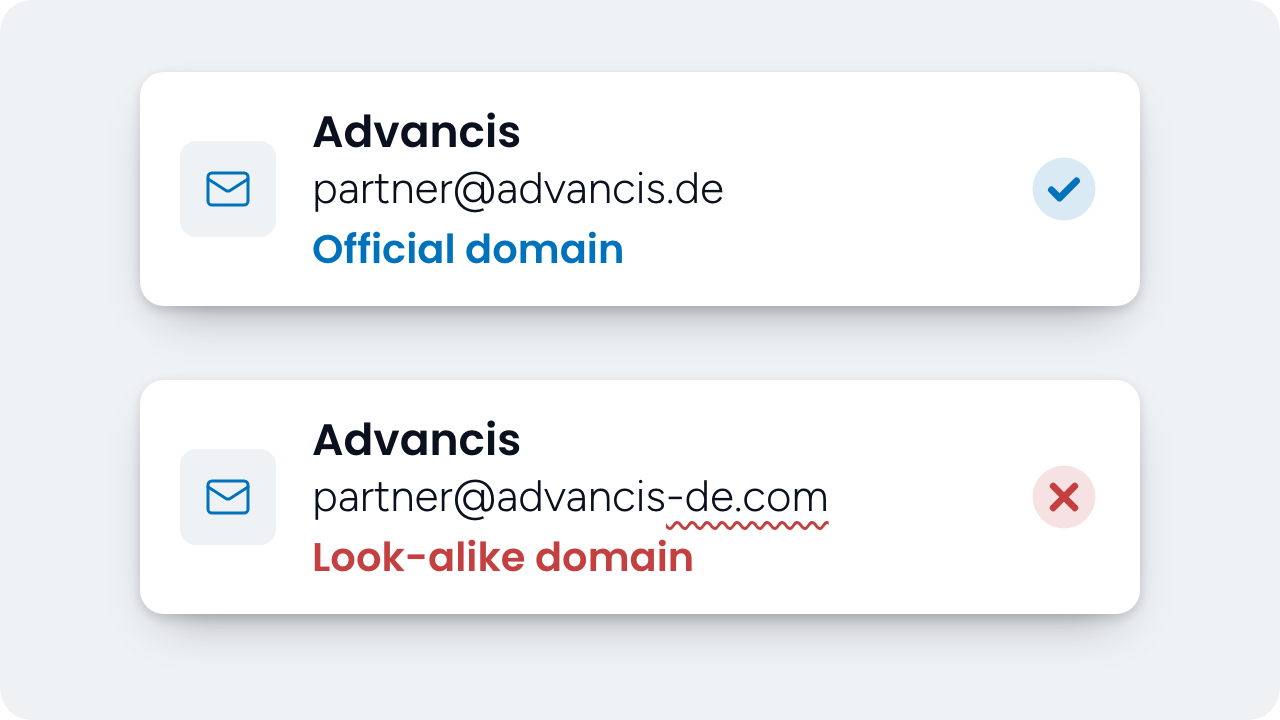
We’ve seen several cases of scammers posing as Advancis employees, often claiming to be our CEO. Some used domains that looked almost identical to ours. Others used public email services such as @outlook.com. In these cases, the senders had no access to our accounts or systems.
If you receive an unexpected email that appears to come from Advancis, here’s how to check it before you act.
- Check the sender’s full email address. A familiar display name is easy to copy. Check the spelling of the domain after the
@sign, including in follow-up messages. Advancis uses only these six domains for business correspondence:advancis.de,advancis.ir,advancis.ae,advancis.at,advancis.se, andadvancis.net. - Look at the signature. Advancis uses a standard email signature. A signature that differs from the one you usually see from your contact can be an early warning sign.
- Consider the request. If someone contacts you about a new topic, ask yourself whether it fits the work you do with Advancis. If the request seems out of character for that person, verify it before taking action.
- Keep business correspondence on business accounts. We will never ask you to use a personal email address for an Advancis business matter.
- If in doubt, call your contact. Before replying, call the person the email appears to come from. Use a phone number you already know or have on file.
- Ask your IT team about alerts for unfamiliar senders. If your organization uses Microsoft 365, your IT team can enable the first contact safety tip. It can flag messages from someone you’ve never received email from or rarely hear from. Learn more about this setting in Microsoft’s documentation.
To report a suspected impersonation attempt, email our security team at [email protected]. Your report helps us investigate and respond.
 English
 Deutsch
 Español
 Italiano
 Français